


 08045811498


 Send Inquiry
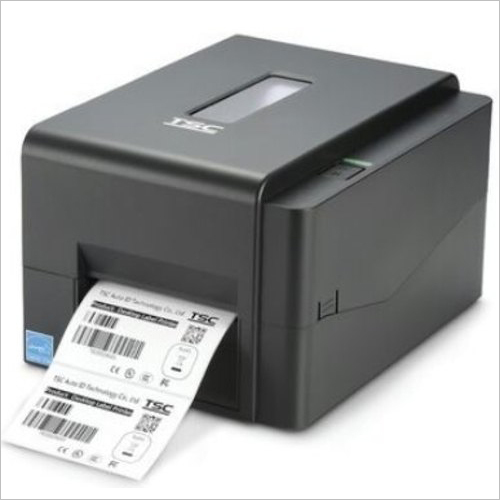
Barcode Label Printer
Price 9,999 INR/ Piece
MOQ : 1 Piece
Barcode Label Printer Specification
- Printing Type
- Direct Thermal & Thermal Transfer
- Print Size
- Max. 108 mm width
- Application
- Retail, Logistics, Manufacturing, Healthcare, Warehousing
- Attributes
- High-resolution, direct thermal/thermal transfer printing, USB/Serial connectivity
- Type
- Barcode Label Printer
- Product Type
- Desktop Barcode Printer
- Dimension (L*W*H)
- 226 mm x 198 mm x 150 mm
- Weight
- 2.72 kg
- Power Source
- AC Adapter
- Power Consumption
- 40W (max)
- Voltage
- 100-240V AC
- Color
- Black & Gray
- Media Type
- Gap, Continuous, Black Mark, Fan-fold
- Media Thickness
- 0.06 mm to 0.25 mm
- Storage Temperature
- -40C to 60C
- Print Speed
- Up to 127 mm/sec
- Print Resolution
- 203 DPI (8 dots/mm)
- Cutter Type
- Manual tear bar
- Interface
- USB 2.0, Serial (RS-232)
- Operating Temperature
- 5C to 45C
- Ribbon Support
- Max length 300 m, width 110 mm
- Media Width
- 20 mm to 114 mm
- Display
- LED indicators
- Software Support
- Windows Driver, Label Design Software
- Humidity Range
- 10-90% (non-condensing)
- Memory
- 8 MB Flash, 16 MB SDRAM
Barcode Label Printer Trade Information
- Minimum Order Quantity
- 1 Piece
- Supply Ability
- 12000 Pieces Per Month
- Delivery Time
- 2-4 Days
- Sample Available
- Yes
- Sample Policy
- Contact us for information regarding our sample policy
- Main Domestic Market
- All India
Barcode Label Printer About
We are counted among the leading manufacturers, exporters and suppliers of superlative quality Barcode Label Printer. These are manufactured in our advanced setup using fines grade raw materials. Over the years we have consistently worked to deliver the best quality products at reasonable prices. The printer is used to print barcode label, which are used on product wrappers or packaging material. Our production experts thoroughly check the entire manufactured range of Barcode Label Printer to ensure compliance with national and international parameters.
Features:
- Efficient model
- Easy operations
- Long service life
- Clear and precise printing of barcode labels
Product Details
|
Max. Print Width |
4 inches |
|
Condition |
New |
|
Brand |
TSC |
|
Resolution |
203 DPI (8 dots/mm) |
|
Max. Print Length |
100 inches |
|
Maximum Print Speed |
6 inch/second |
Efficient and Versatile Printing
This barcode label printer delivers high-speed and high-resolution output, making it suitable for demanding applications in retail, logistics, manufacturing, healthcare, and warehousing. Its dual printing technologydirect thermal and thermal transferadapts seamlessly to various media types and operational needs, ensuring reliable labeling for every business requirement.
Flexible Connectivity Options
With both USB 2.0 and RS-232 Serial interfaces, the printer can be easily integrated into existing systems. These versatile connectivity choices make installation straightforward across different environments, facilitating smooth operation for dealers, distributors, exporters, manufacturers, and service providers throughout India.
User-Friendly Design and Operation
The LED display and manual tear bar cutter enable intuitive user interaction, while the printers compact dimensions (226 mm x 198 mm x 150 mm) and manageable weight (2.72 kg) allow for convenient placement. Supported by comprehensive Windows drivers and label design software, users benefit from simplified setup and efficient label creation processes.
FAQs of Barcode Label Printer:
Q: How do I connect the barcode label printer to my computer or POS system?
A: You can connect the barcode label printer using either the USB 2.0 port or Serial (RS-232) interface, which are compatible with most computers and point-of-sale systems. Installing the provided Windows driver will enable seamless integration and communication with your label design software.Q: What types of labels can I print with this printer?
A: The printer supports a wide range of media types, including gap, continuous, black mark, and fan-fold labels. It can print on media widths from 20 mm to 114 mm and thicknesses between 0.06 mm and 0.25 mm, offering flexibility for various labeling applications in retail, logistics, and manufacturing.Q: When should I use direct thermal versus thermal transfer printing?
A: Direct thermal printing is ideal for short-term labels that do not require prolonged durability, such as shipping and inventory tags. Thermal transfer printing is best for long-lasting labels exposed to harsh conditions, like asset tracking and product identification, as it uses a ribbon to create more robust prints.Q: Where can the printer be installed for optimal performance?
A: Install the printer in environments where temperatures range from 5C to 45C and humidity is non-condensing (10-90%). Its compact form factor makes it suitable for retail counters, warehouse workstations, production lines, and healthcare facilities with space constraints.Q: What is the process for changing label media and ribbons?
A: Changing media and ribbons is straightforward. Open the printer cover, insert your selected label roll within the supported dimensions, and thread the ribbon (up to 300 m length, 110 mm width) into the designated compartment. Follow the instructions in the user manual for optimal setup and alignment.Q: How does the printer benefit dealers, exporters, and manufacturers?
A: With high-speed, high-resolution printing, flexible connectivity, and support for diverse media, the printer boosts productivity and ensures professional labeling across supply chains. Its robust design and comprehensive software support streamline operations for dealers, exporters, manufacturers, and wholesalers throughout India.Q: What software support is available for label design and printer management?
A: The printer comes with Windows-compatible drivers and label design software, facilitating easy creation and management of customized barcode labels. This allows users to adapt labeling solutions to their specific industry requirements.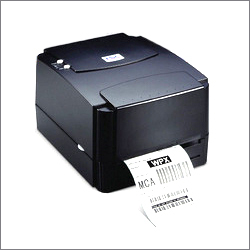
Tell us about your requirement

Price:
Quantity
Select Unit
- 50
- 100
- 200
- 250
- 500
- 1000+
Additional detail
Mobile number
Email

More Products in Barcode Label Printer Category
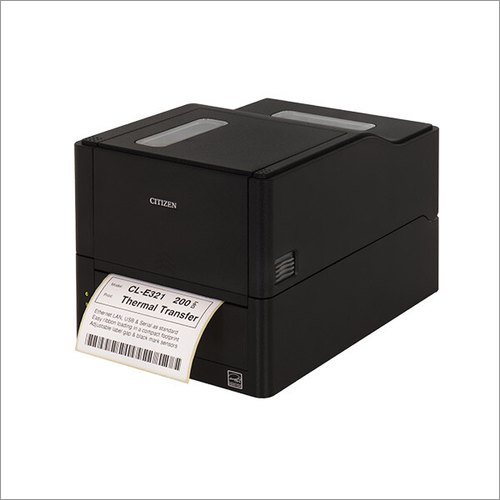
Citizen CL E321 Barcode Label Printer
Price 14,000 INR / Unit
Minimum Order Quantity : 1 Unit
Power Source : Electric
Application : Printing
Color : Black
Type : Printer
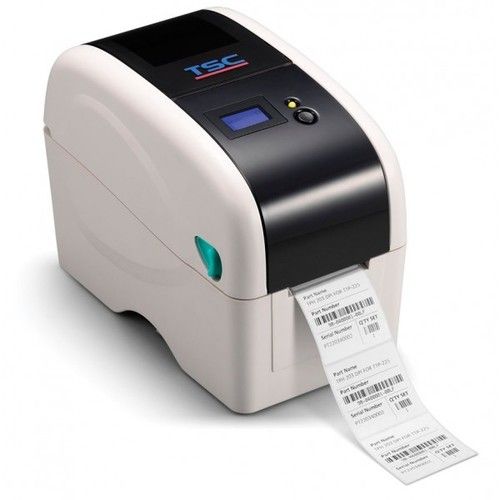
TSC Receipt printer
Price 9,999 INR / Piece
Minimum Order Quantity : 1 Piece
Power Source : Electric
Application : Printing
Color : Black white
Type : Printer
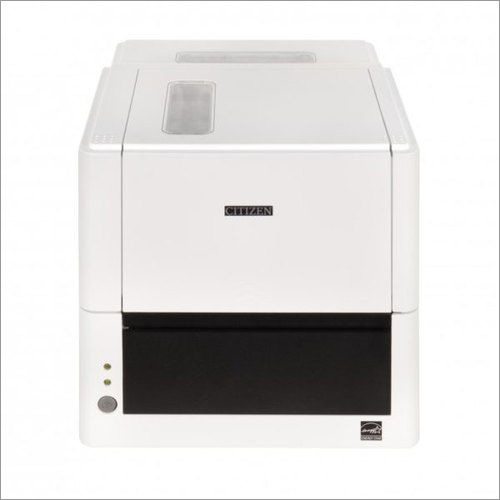
Citizen Desktop Barcode And Label Printer- CL-E331 - Max Print Width 4.25 inches
Price 18,500 INR / Unit
Minimum Order Quantity : 1 Unit
Power Source : Electric
Application : Printing
Color : White
Type : Printer
Barcode Thermal Label Printer
Price 10,500 INR / Piece
Minimum Order Quantity : 1 Piece
Power Source : Battery
Application : Printing
Color : Black
Type : Printer

Contact Us
SHIV SHAKTI LABEL INDUSTRIES
GST : 24AGIPP8201C1ZR
GST : 24AGIPP8201C1ZR

- FF 5 & 21, Vardhini Industrial Estate, Makarpura GIDCVadodara - 390010, Gujarat, India
- Phone : 08045811498

- Mr Chaitanya Patel (Proprietor)
- Mobile : 08045811498
- Send Inquiry
 Send Inquiry
 Send Inquiry
 Send SMS
 Call Me Free
 |
SHIV SHAKTI LABEL INDUSTRIES
All Rights Reserved.(Terms of Use) Developed and Managed by Infocom Network Private Limited. |
